Search for events
Use search terms, dates and places to find suitable events.
Open Events on kulturbytes and choose Search.
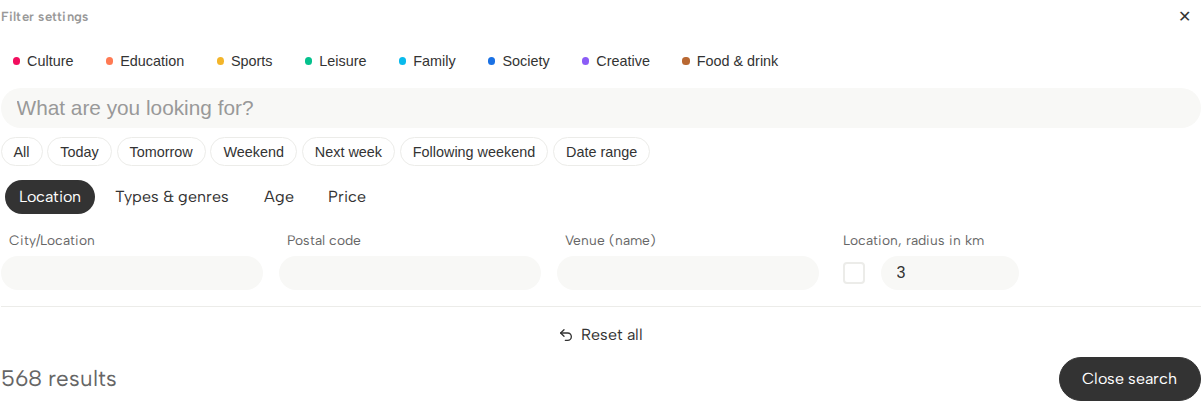
Enter a search term
Enter a word that describes what you are looking for, such as jazz, theatre or the name of an event. Start with a short term. You can make your search more precise afterwards.
Choose a time period
Choose a time period, such as Today, Tomorrow or Weekend. To search between two dates, choose Date range and enter the start and end dates.
Choose a place
Under Location, enter a town, postal code or venue name. For example, use the town to find events in Flensburg, or a venue name to look for events at a particular cultural centre.
For a search near your current location, enable the location option and enter a radius in kilometres. Your browser may ask to use your location. If you do not want to allow this, enter a town or postal code instead.
Narrow down your selection
Filters are options that limit which results you see. Alongside the search term, time period and place, you can use:
- Categories, such as culture, education or family.
- Types & genres: for example, concert and jazz. A genre describes a more specific style.
- Age, if you are looking for an offer for a particular age group.
- Price, for example free admission or a maximum price.
Use only the options you need. Each extra condition can make the result list smaller.
On a phone, choose Show results when you have finished selecting. On a large screen, the results update as you change the options; close the search to see more of the list.
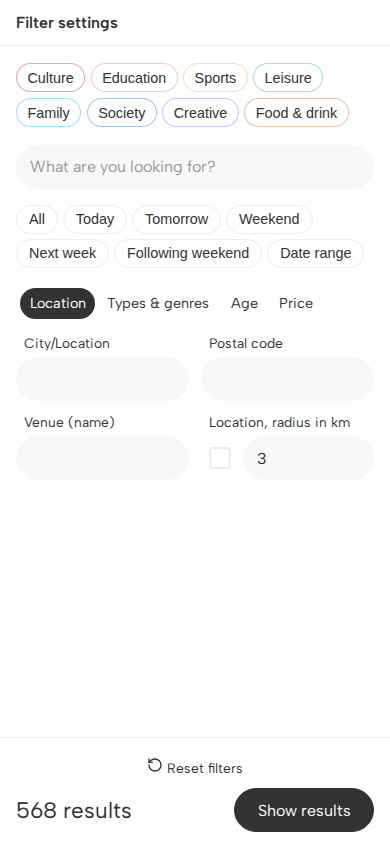
Change or remove filters
Your selected options appear above the results under Active filters. Choose the × beside an option to remove it. Choose Reset all to start again. On a phone, this button is called Reset filters.
Open an event
Open an event that interests you. Check the date, start time, venue and any information about tickets or registration. An event may have several dates. Make sure you choose the date you want.
If you cannot find a suitable event, try the search tips.