Tips for good images
A good image helps people see what your event or venue is about, even in a small preview.
Choose a clear subject
- Use an image that fits the event or venue.
- Choose one clear main subject instead of many small details.
- Check that the image is sharp and bright enough.
- For event and venue photos, a landscape image is a useful starting point.
Leave room around the subject
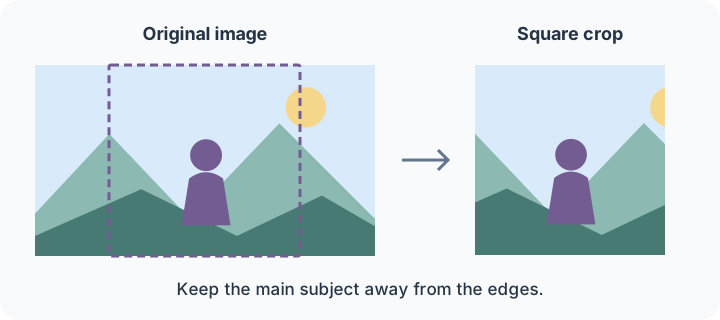
The same image may appear wide, square or small. Parts of the edges may be cut off. Keep faces and other important details away from the edges, and set the focus point on the main subject.
Keep text separate
Avoid long text, dates and logos in the main photo. They are hard to read in a small preview and may be cut off. Enter the title, date and venue in the event fields. Use the poster field for a poster with text.
Describe the image
Add a short alt text that describes the important content, for example: “Three musicians playing on the stage at the cultural centre.” This helps people who cannot see the image.
Before uploading
Use an image you are allowed to publish. Add the photographer and any supplied credit or licence information. Indicate if the image was created or substantially changed with AI.
Read Images for file formats and size recommendations, and Logos for logo variants.