Your user account
How to create an account for the kulturbytes Dashboard.
Sign up
- Open: https://app.kulturbytes.de/app/signup in a new browser window or tab.
- Enter your email address.
- Enter a password with at least 12 characters. If possible, use a random combination of characters.
- Click [ Sign up ].
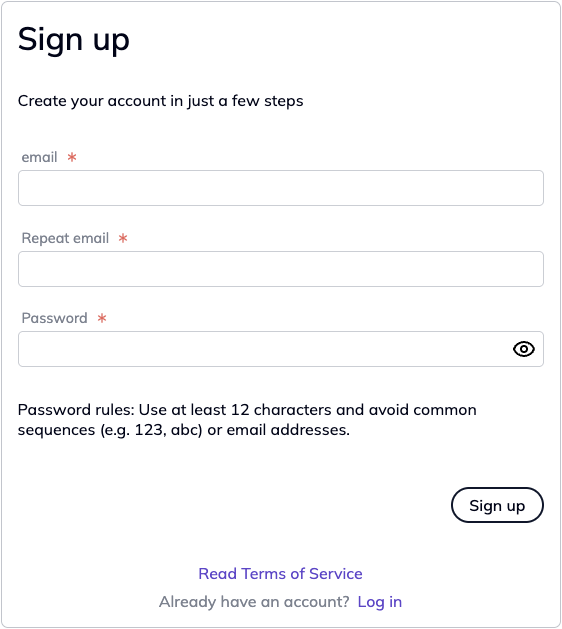
After registration, a message confirming that your account has been successfully created will be displayed in the Dashboard.
Confirm your email address
- You will receive an email from kulturbytes.
- If you do not see the email immediately, please also check your spam folder.
- Click [ Activate account ] in the email.
Log in
- A browser window will open with the message: “Your account has been successfully activated.”
- Click [ Go to Log in ].
- Enter your email address and password and click [ Log in ].
Start using kulturbytes
- You can now view and edit your data in the Dashboard.